TV Varzish Channel
TV Varzish Frequency on Yahsat 52.5° E
TV Varzish Channel TP on Yahsat 52.5° E
TV Varzish Biss key open Al Yah 1 Satellite 52.5° E
TV Varzish Frequency on NSS 12 Satellite 57.0° East
TV Varzish TP NSS 12 Satellite 57.0° East
TV Varzish Biss key open NSS 12 Satellite 57.0° East
TV Varzish Frequency on Nilesat Satellite
Varzish TV frequency on nilesat hd frequency
TV varzish new frequency 2026 varzish 2 frequency
Irib tv varzish frequency hot bird tv varzish code
TV Varzish free on NSS 12
TV Varzish Frequency on NSS 12 Satellite 57.0° East LNB Type KU Band Updated 13-11-2026
Channel Name |
Frequency |
Polarity |
Symbol Rate |
Freq |
TV Varzish |
10985 |
H |
45000 |
3/4 |
TV Varzish Frequency on NSS 12 Satellite 57.0° East LNB Type KU Band Updated 13-11-2026
TV Varzish Frequency NSS 12
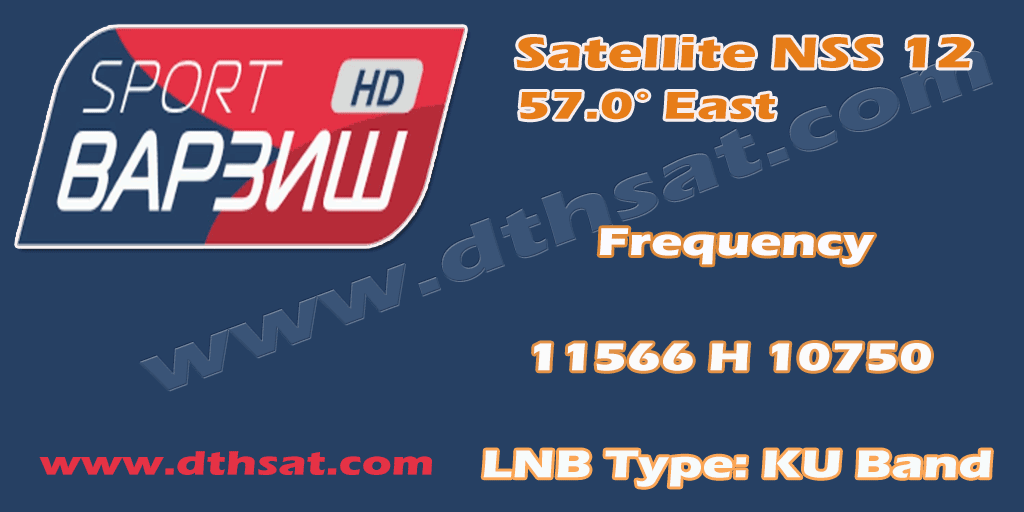
TV Varzish Frequency on NSS 12 Satellite 57.0° East LNB Type KU Band Updated 13-11-2026
Channel Name |
Frequency |
Polarity |
Symbol Rate |
Freq |
TV Varzish |
11566 |
H |
10750 |
3/4 |
TV Varzish Frequency on NSS 12 Satellite 57.0° East LNB Type KU Band Updated 13-11-2026
TV Varzish Frequency Yahsat
TV Varzish Frequency on AL Yah 1 (Yahsat) Satellite 52.5° East LNB Type KU Band Updated 13-11-2026
Channel Name |
Frequency |
Polarity |
Symbol Rate |
Freq |
TV Varzish |
11785 |
H |
27500 |
3/4 |
TV Varzish Frequency on AL Yah 1 (Yahsat) Satellite 52.5° East LNB Type KU Band Updated 13-11-2026
TV Varzish Satellite
NNS 12 Satellite 57.0°East Channel List Strong Frequency TP for Dish Antenna setting C Band LNB Type and KU Band LNB Frequency Channels List Free FTA Package paid Channels list with full details guide
Ethiosat Satellite 57.0°E Channels List Frequency for Dish Antenna setting C Band and KU Band Free to Air and Package paid TV Channels list
Al-Yah-1 Satellite Yahsat Frequency 52.5°E Channels List with full guide Yahsat List TV Channels Frequency Strong TP dish antenna settings
How to use the service reference
The table for TV Varzish Channel includes TV Varzish at 10985 MHz, polarity H, with symbol rate 45000. Read the satellite and access notes alongside that row before entering the settings. The numbers describe one listed carrier and may be shared by several services.
When a receiver shows several versions of the same name, compare the satellite, provider and service information on each result. Standard-definition, HD and regional feeds may be separate services. Keep the existing entry until you have confirmed which version is available, and use the access note to determine whether a subscription is required.
Checking the receiver result
A signal strength reading can indicate that the receiver sees power or energy at its input. Signal quality is the more useful reading for confirming that it can lock to the selected carrier. If quality stays at zero, check the satellite selection, the LNB settings and the switch port. If several known active carriers also fail, inspect alignment and cabling before changing individual channel entries.
After the receiver locks, run a manual transponder scan and review the results by service name. Check the scan filter if the expected service is missing. A free-to-air-only filter can exclude encrypted services from the results. Save a working channel only after confirming that it matches the intended service, especially if the receiver already holds several similarly named entries.
Frequently asked questions
Which settings should I use for TV Varzish Channel?
Start with the relevant row in the table. Match the frequency, polarity and symbol rate together and check that your receiver is on the satellite named with the entry.
Why does a scan show signal but no picture?
Check whether the receiver actually has signal quality and carrier lock. If it does, verify that the service is still in the scanned package and that the receiver supports its video format and access requirements.
Will the same settings work in every location?
Reception depends on the satellite beam and the dish setup at your location. Compare the listed beam with your region, and use a known active transponder on the same satellite to check reception.